Fetch-skills
Fetch-skills is an open-source CLI installer that drops curated Fetch.ai developer knowledge — uAgent patterns, payment protocol flows, Agentverse integration guides, and package-setup best practices — directly into your AI coding tool's skills directory.
Instead of hunting through docs or manually copying snippets, your coding assistant has everything it needs baked in from the start. One command, an interactive three-step wizard, and your AI agent is ready to build on the Fetch.ai ecosystem.
From the root of any project:
npx fetch-skills
This launches the interactive wizard. No flags, no config files.
Why use Fetch-skills?
- Zero-friction onboarding — one command installs everything your agent project needs.
- Skills compose — mix any package setup skill with one or more protocol skills.
- Overwrite-safe — prompts before replacing any existing file.
- Tool-agnostic — works with Cursor, Claude Code, Google Antigravity, and any AGENTS.md-compatible tool.
- Auto-discovery — the CLI finds new skills automatically; no code changes required when new ones ship.
Who is it for?
Fetch-skills is built for developers building on the Fetch.ai ecosystem: anyone writing uAgents, integrating payment protocols (Stripe or on-chain FET), or deploying agents to Agentverse. If you use an AI coding assistant, Fetch-skills makes that assistant dramatically more useful for Fetch.ai work.
Quick Start
Running npm install fetch-skills only adds the package to node_modules — it does not launch the wizard. Always use npx fetch-skills to run the installer.
From the root of any project you want to install skills into:
npx fetch-skills
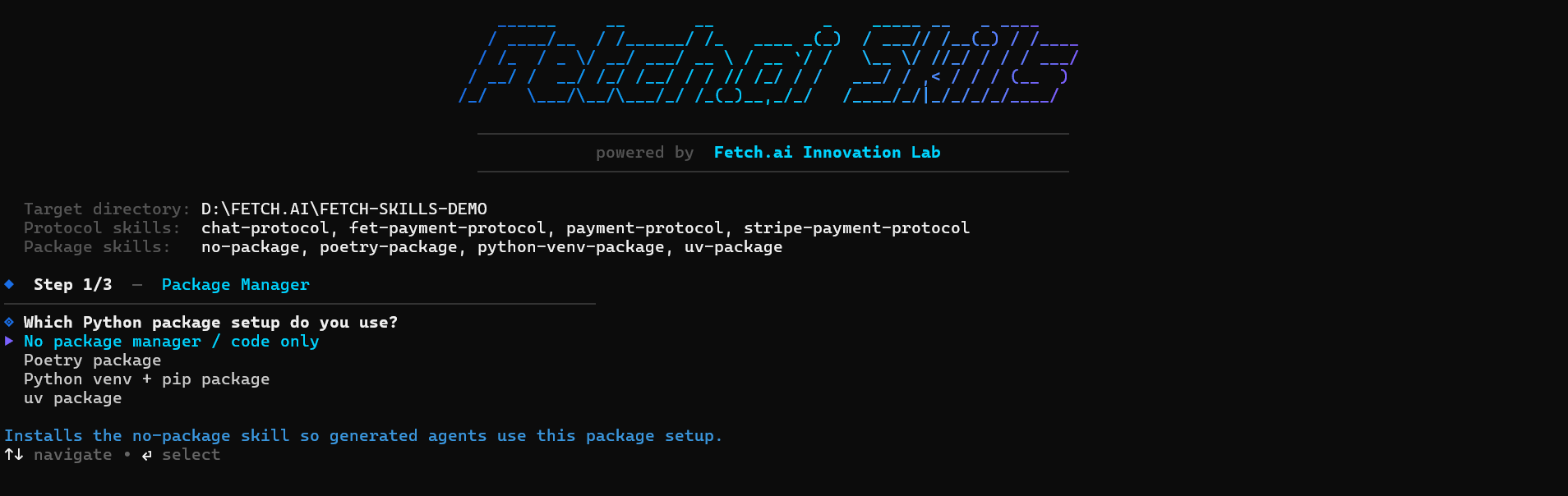
The wizard runs in three steps answered with arrow keys and Enter. It writes skill files to the correct location for your chosen tool and summarises every file it created or skipped.
Supported Tools
| Tool | Install path |
|---|---|
| Cursor | .cursor/skills/<skill>/SKILL.md |
| Claude Code | .claude/skills/<skill>/SKILL.md |
| Google Antigravity | .agent/skills/<skill>/SKILL.md |
| AGENTS.md / generic | AGENTS.md (one ## section per skill) |
Choose All supported tools in Step 3 to install skills for every target in one run.
The 3-Step Wizard
Step 1 — Choose your package setup
Exactly one package skill is installed alongside your chosen protocol skills. This skill controls all install commands, run commands, lockfile rules, and .env / .gitignore templates for the entire project.
| Option | Use when |
|---|---|
| uv package | Your project uses uv (uv add, uv sync, uv run, pyproject.toml) |
| Poetry package | Your project uses Poetry (poetry add, poetry install, poetry run) |
| Python venv + pip | Classic venv + pip + requirements.txt workflow |
| No package manager | Code-only — skip install commands; only document required imports |
uv-package is the recommended default for new projects. If your existing project already has a pyproject.toml managed by Poetry, choose poetry-package. For legacy projects without a build tool, choose python-venv-package.
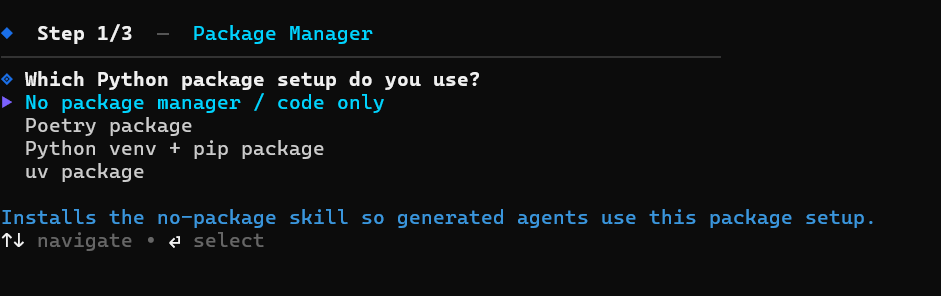
Step 2 — Select protocol skills
A checkbox list appears. Use Space to toggle individual items, A to toggle all, and Enter to confirm. You may select one or more protocol skills — they all compose cleanly with your chosen package skill.
| Skill | What it provides |
|---|---|
| chat-protocol | ChatMessage, session lifecycle, Agentverse manifest registration |
| stripe-payment-protocol | Stripe Checkout RequestPayment/CommitPayment, idempotency |
| fet-payment-protocol | On-chain FET payments, cosmpy ledger verify, mainnet + testnet |
| payment-protocol | Stripe + FET combined in one agent, unified on_commit dispatcher |
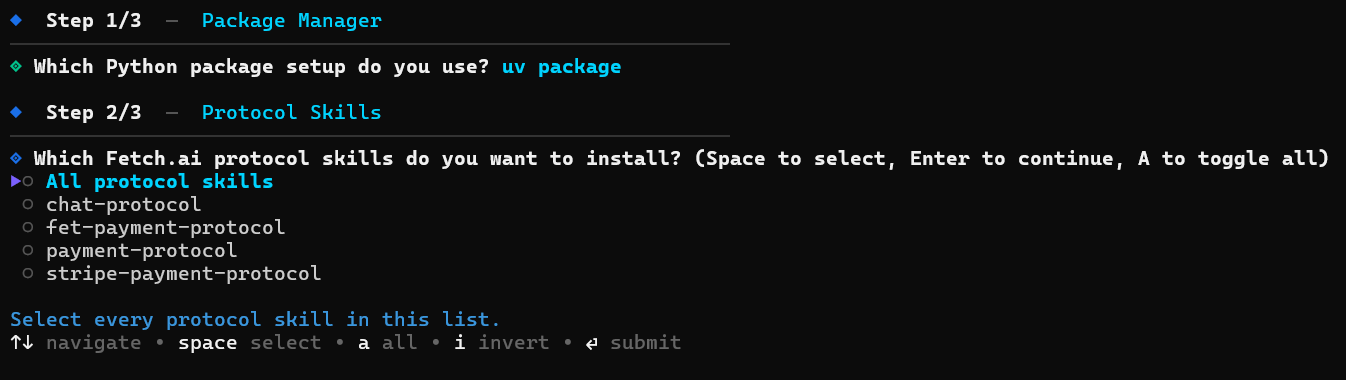
Step 3 — Pick your install target
Choose the AI coding tool you use. Selecting All supported tools installs skills for every target simultaneously.
If AGENTS.md already exists you will be prompted before it is replaced. The file is overwritten in full — not appended to.
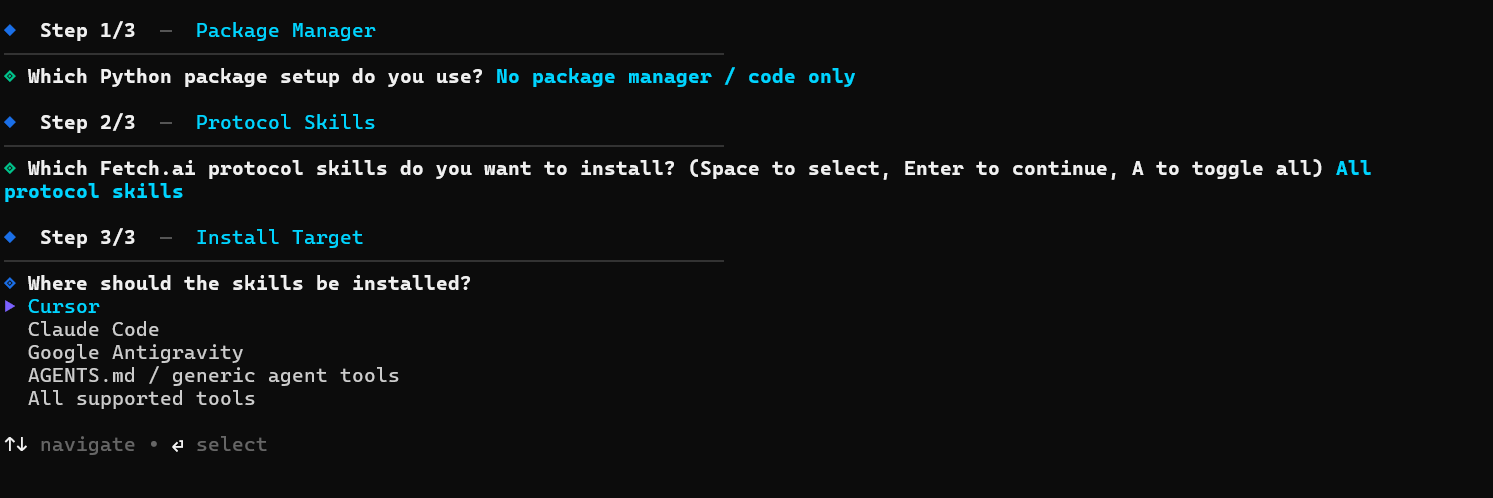
Keyboard controls
| Key | Action |
|---|---|
| ↑ / ↓ | Navigate between options |
| Space | Toggle checkbox (Step 2 multi-select) |
| A | Toggle all checkboxes (Step 2) |
| Enter | Confirm selection and advance |
Skill Composition
Fetch-skills is designed around composition. Every protocol skill is environment-agnostic — it contains only agent and protocol code. When your coding assistant needs to run an install command, start the agent, manage the lockfile, or set up .env, it defers to whichever package skill is installed.
| Combination | What you get |
|---|---|
uv-package + chat-protocol | A basic chat agent built with uv. The assistant knows how to uv add uagents, set up pyproject.toml, and implement the full chat handler. |
poetry-package + stripe-payment-protocol | A payment-enabled agent for Poetry projects. Full Stripe Checkout flow with Poetry-specific install commands and lockfile guidance. |
python-venv-package + payment-protocol | An agent that accepts both Stripe and FET in a classic venv environment. pip install commands, requirements.txt, and complete dual-payment handler. |
no-package + chat-protocol + fet-payment-protocol | Code-only mode for environments where packages are pre-installed. No install commands — only agent code and protocol logic. |
Frequently Asked Questions
Do I need to re-run Fetch-skills when new skills are released?
Yes — run npx fetch-skills again to pick up new skills. The wizard will prompt before overwriting any existing skill files.
Can I install skills for multiple tools at once? Yes — choose All supported tools in Step 3 and the installer writes to all tool directories in one run.
What happens if AGENTS.md already exists? The installer will prompt you before replacing it. If you confirm, the file is overwritten in full with a freshly generated version containing your selected skills.
Do protocol skills depend on each other?
No hard dependency — but stripe-payment-protocol and fet-payment-protocol both assume the agent also speaks Chat Protocol. The payment-protocol skill bundles both payment methods and is the simplest choice if you want everything.
Is Fetch-skills free to use? Yes. Fetch-skills is MIT licensed.
Links
- npm package: npmjs.com/package/fetch-skills
Related docs
- uAgent Creation — how to build and run a uAgent
- Agent Chat Protocol — the protocol used by the
chat-protocolskill - Agent Payment Protocol — on-chain and Stripe payment flows
- Agentverse — the platform your agents deploy and discover on
- Agentverse Skills — AI coding agent skills for interacting with Agentverse
- FetchCoder — terminal AI coding agent with native MCP tools for Agentverse